Sunday, 28 July 2013

Cara Install Windows DARK Edition V7 Rebirth

Kimazuki

Instal Windows XP Dark edition Melalui USB Flashdisk Tanpa Kaset CD Dan DVD External 

 Minggu,28 Juli 2013 02:33

Beberapa hari ini saya tidak pernah update artikel. Penyebabnya adalah netbook merk ASUS EEEPC punya saya mengalami kerusakan parah pada windows Aslinya. Sebenarnya pada sebagian komputer laptop terutama netbook, Master windowsnya tertanam di Hard Disk jadi untuk memulihkan apabila terjadi masalah bisa dilakukan melalui proses restore. Untuk produk HP compaq proses restore dilakukan melalui program yang bernama Roxio Back On Trak. Untuk merk Acer menggunakan software Acer Erecovery. Untuk merk laptop saya malah sak tau, karna saya belum pernah ngotak-atik.
Kembali ke permasalahan saya, karena netbook saya terintal terlalu banyak program akhirnya berjalan sangat lambat.

Dalam hati saya berkata, wahh....ini masalah besar. Yang pertama kalau saya harus install ulang maka windows asli saya akan hilang. Yang kedua saya sama sekali tidak mengerti dan belum pernah install OS .
Beruntung laptop saya masih bisa dan saya gunakan untuk browsing cari informasi. Setelah browsing dan bertanya ke beberapa teman akhirnya saya memperoleh kesimpulan bahwa OS bisa di install ulang melalui USB Flashdisk Tanpa Memerlukan kaset CD apalagi DVD External.
Ada banyak blogger yang membahas tentang tutorial ini tapi semua masih memerlukan kaset CD untuk mengcopy master windows. Permasalahannya adalah saya tidak mempunyai master windows tersebut. Setelah browsing kembali saya menemukan info bahwa windows ternyata bisa di download dan salah satunya melalui indowebster.com.

Kita langsung ke permasalahan, kalau anda mengalami kejadian seperti yang saya alami. Syarat utama yang harus anda lakukan adalah :

1. Menyediakan 1 buah komputer/laptop yang masih normal.
2. 1 Buah flashdisk dengan kapasitas minimal 1 GB,

Kalau kedua alat tersebut sudah tersedia selanjutnya download beberapa software yang diperlukan dibawah ini :

1. Master windows XP Dark edition yang baru sekalian
Bagi yang ingin mendownloadnya, saya sudah carikan di IDWS:
2. Software WintoFlash.
3. Driver Windows (sesuaikan dengan merk dan type netbook anda) ada banyak di google dan bisa di download setelah proses instalasi windows selesai.

Pertama download master windows XP, mungkin prosesnya berjalan lama karena filenya sebesar 700.1 MB (saya download windows XP service pack 3 dark edition) dari indowebster.
Langkah kedua adalah mendownload WintoFlash, Driver Sata dan Nlite.
Software WintoFlash Kegunaannya adalah mentransfer file master windows ke flashdisk agar kita bisa booting via flashdisk nantinya.
Untuk driver belakangan saja downloadnya.

Setelah file windows selesai di download, extrak dahulu filenya pada 1 folder (file windows dari indowebster extensinya ISO)

(Sampai disini anda telah selesai membuat installer windows yang di compile ke driver sata)

4. Masukkan flashdisk dan kosongkan (format).
5. Matikan dulu antivirus anda karena selanjutnya flash disk akan dilock oleh av sehingga wintoflash tidak bisa memformatnya.
6. Buka program wintoflash.exe klik next, next, pilih folder tempt windows yg anda buat dg nlite tadi, pilih juga drive usb.
7. Klik start dan biarkan beralan sampai selesai (Penting !!! Pada proses ini tutup program yang tidak diperlukan agar integrasi file windows ke flashdisk berjalan sempurna)

Sampai langkah ini anda sudah berhasil, colok flash disk hidupkan netbook hp mini anda yg mau diinstall windows.

8. Tekan ESC terus sampai muncul pilihan booting,
9. untuk merek asus eeepc biasanya terdapat dua pilihan booting yaitu hardisk(HDD) dan flashdisk(FDD)
10.pilih yang flasdisk pada tulusan 'choice your boot please"(kalo gak salah)
11. Windows restart lagi, dan kembali lakukan langkah di atas, sampai windows benar-benar terinstall.

Apbila telah selesai dan muncul eror file hal.dll coba ulangi lagi dari langkah awal.
Kemungkinan gagal pada proses transfer file windows ke flashdisk.

Setelah selesai selanjutnya adalah download driver-driver dan software yang dibutuhkan.
Untuk merk HP atau Compaq dapat anda cari http://www.hp.com
Untuk cara mencari dan melengkapi driver akan saya tulis pada artikel berikutnya.

Sekian artikelnya, apabila ada yang kurang dimengerti tinggalkan komentar anda !
Saya akan menjawab sebatas pengetahuan yang saya miliki.
Friday, 19 July 2013

Download game Fast And Furious 6 For Android

Kimazuki

DOWNLOAD GAME FAST AND FURIOUS 6 FOR ANDROID

Jum, 19 Jul 2013

Halo Sob, Di postingan kali ini tentang Game Fast and Furious 6
Game ini bertemakan tentang balapan,dll

SS:


 Cara Install:

1. extract
2. copy data & install
3. enjoy

DOWNLOAD

Sumber: Aplikasi sharing

TEMA MAC OS FOR UBUNTU

Kimazuki

Install Mac OS X Theme on Ubuntu 13.04 Raring Ringtail/12.10/12.04/Linux Mint 15/14/13

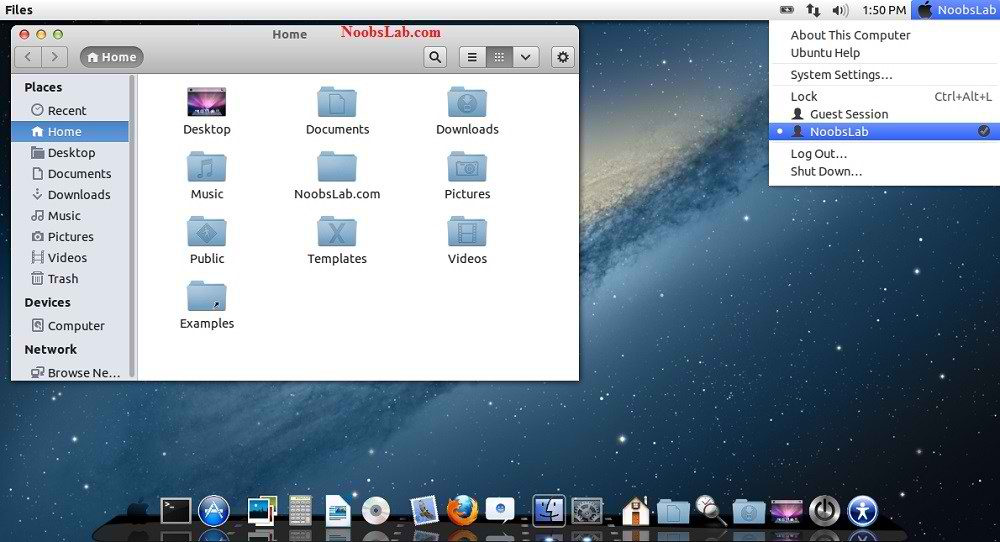
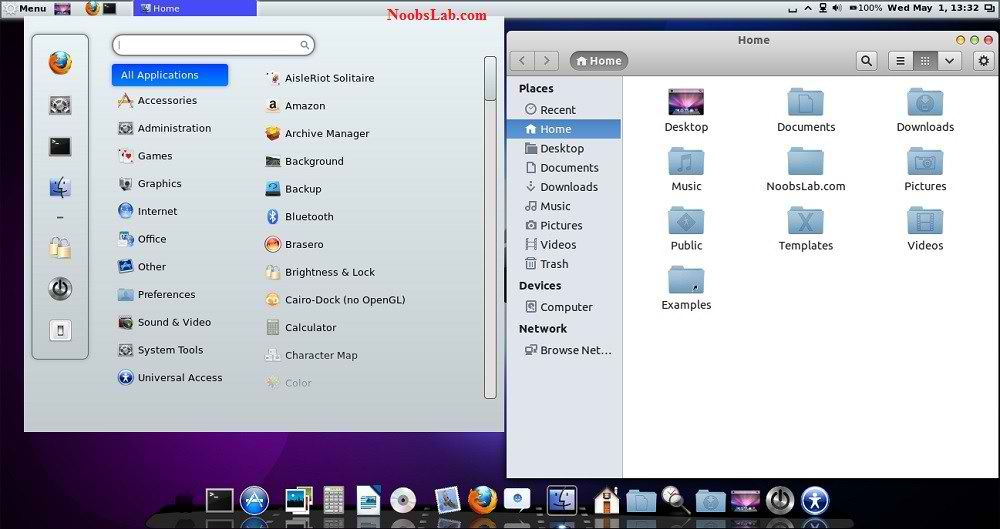
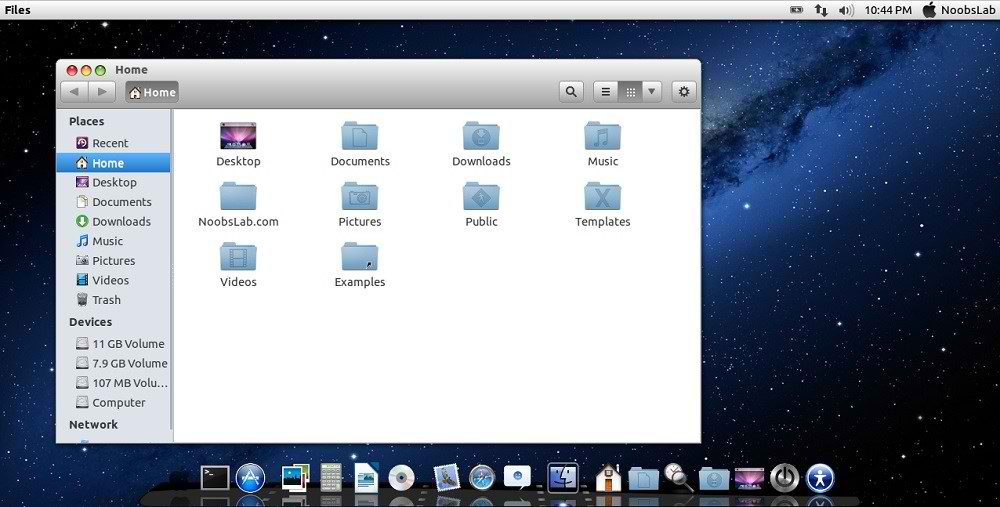
Mac OS X theme now available for Ubuntu 13.04 Raring Rintail. These themes has been completed with collaboration of haniahmed Big thanks to him for helping in this work and mbossg did really fine job. Many people looking for Macbuntu 13.04/Macbuntu 12.10/Macbuntu 12.04/Mac4lin, Mac Ubuntu theme and so on, So here we are ready with Mac OS X Lion Theme package for Ubuntu 13.04 Raring and Hopefully Mac Theme will work with new coming Linux Mint 15.
This time NoobsLab included 4 GTK themes (Mac-OS-Lion, Mac-iBuntu, Mac-iLinux, Mac-LionBuntu and Mac-XBuntu), 3 Gnome Shell-3.6 themes (Mac-iLinux, Mac-LionBuntu and Mac-XBuntu) and 2 themes for Cinnamon (Mac-iLinux and Mac-LionBuntu), 2 icon sets (Mac-iBuntu and Mac-iLinux). GTK themes are compatible with latest GTK version, Gnome Shell themes are only compatible with 3.6, and Cinnamon themes are compatible with all versions.
Note: If you found any bug in theme/icons/any stuff, Report to us with Screenshot or detail.

>> Mac Theme For Ubuntu 12.10 Quantal Quetzal/Linux Mint 14
>> Mac Theme For Ubuntu 12.04 Precise Pangolin/Linux Mint 13
mac theme 13.04

mac theme

mac 13.04
mac os x

ubuntu mac theme
mac theme

mac theme

ubuntu mac theme

Mac Icons
mac x icons

mac snow icons


What's new in this Version?
  • Shiny, Smooth, and Fast
  • Apple Boot Splash has been fixed
  • 5 GTK Themes
  • 3 Gnome Shell Themes
  • 2 Cinnamon Themes
  • 2 Icon Sets
  • Fixed Many bugs
Video Tutorial is Available.

1) Wallpapers and Firefox Theme
Download Mac OS X Wallpapers

>> Download Mac theme for Firefox
Unzip folder then drag and drop theme to firefox and click install.

2) Latest Cairo Dock
Enter following commands to install Cairo-Dock


Right Click on Cairo Dock -> Select Launch Cairo-Dock on Startup
cairo dock

If you want to install mac theme for Cairo-Dock, Just go in Configuration then Theme tab Select Mac(Double click to install) theme and Apply.
mac dock


3) Remove Overlay Scrollbars
ubuntu srollbars
Enter following command in terminal to disable overlay scrollbar:


If you want to get back overlay bar, enter following command:


4) Indicator Synapse (Alternative to Spotlight)
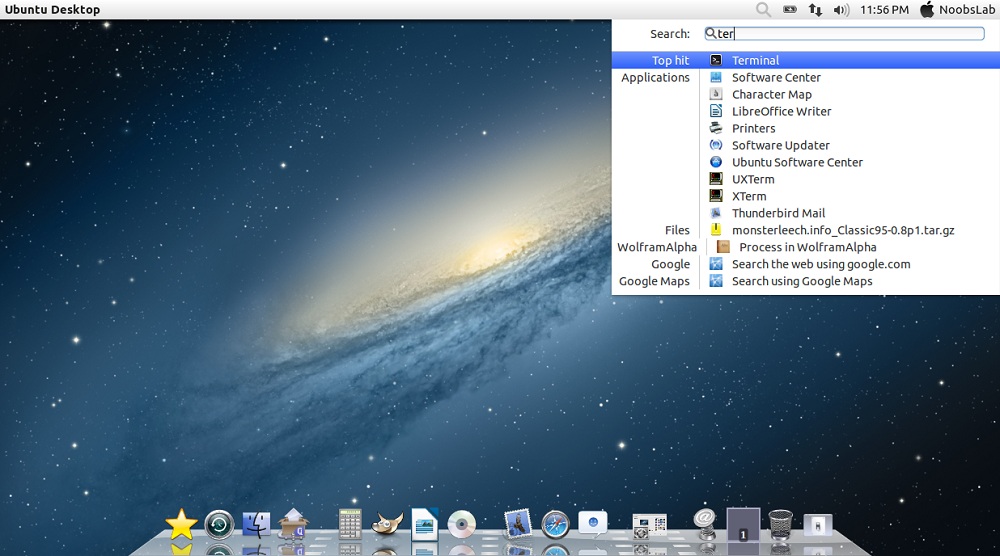
We offered a new tweak indicator-synapse which is alternative to Mac spotlight.

>> Install indicator-synapse from here.


5) Apple Logo in Launcher
apple logo
Enter following commands to install Apple Logo:


It will ask to replace file, Type "A" and Press Enter.

If you want back Ubuntu enter following commands in terminal:


It will ask to replace file, Type "A" and Press enter


6) Apply Mac OS X Splash (Fixed):
Install Following commands to install splash:


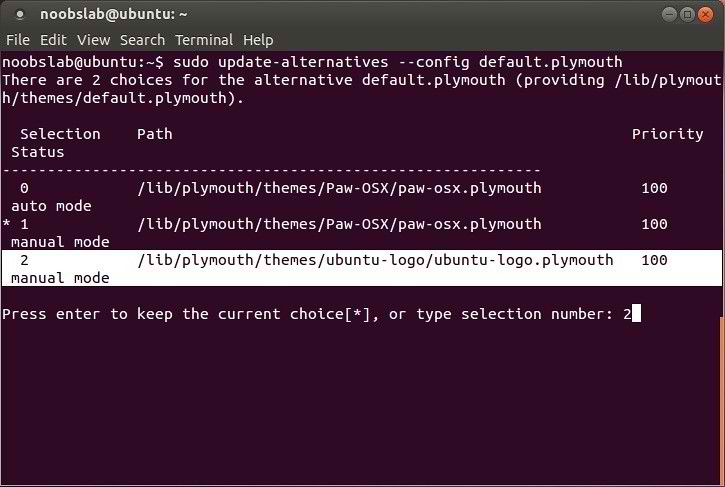
Enter following command and select paw-osx splash:


Now Enter this command:
Enter following command and select paw-osx splash:


If you don't like Paw Splash, You can get back Ubuntu splash:
Enter following command and select Ubuntu Splash number:


Now Enter this command to update Splash:


See the following picture.


7) Mac OS X Lion Theme and Icons:


Install Mac Cursors copy the following commands in the Terminal:


To Uninstall Cursors


8) Disable Crash reports:
Sometime Ubuntu displays crash reports, If you want to get rid of crash reports then disable it via following command:


9) Auto-hide Unity Launcher:
You can hide unity launcher from Appearance -> Behavior and turn off.


10) Unity/Gnome Tweak Tool to change Themes, Icons:
You can use these popular tools to change themes and icons in Ubuntu, Also you can change other settings from these tweak tools. You can also install Ubuntu Tweak.


11) Remove White Dots and Ubuntu Logo from Login Screen:

mac login
Enter following commands in terminal to remove white dots:


If you want to revert back then use following commands.


That's it


Sumber :http://www.noobslab.com/2013/05/mac-os-x-theme-for-ubuntu-1304-raring.html

Wednesday, 17 July 2013

Download Win XP SP3 Actived

Kimazuki

DOWNLOAD WIN XP SP3 ACTIVED

Rab, 17 Juli 2013


Hai, Agan-agan sekalian habis sahur nganggur ngak ngapa-ngapain mendingan
buat post di blog, Pos kali ini tentang WIN XP SP3 ACTIVED,

SSnya:


Ok PASS RAR NYA : daoud
Download di sini


Cara Install Wine Di Linux Ubuntu

Kimazuki
CARA INSTALL WINE DI LINUX UBUNTU

Wine adalah aplikasi yang memungkinkan pengguna Linux, Mac, FreeBSD, Solaris untuk menjalankan aplikasi Windows. Wine dikembangkan oleh komunitas, dan dirilis di bawah lisensi GNU Lesser General Public License (LGPL).

Di sini saya akan berbagi cara install wine di Ubuntu dan distro turunannya melalui PPA.
Masukkan perintah ini satu persatu di terminal linux anda:

sudo add-apt-repository ppa:ubuntu-wine/ppa
sudo apt-get update
sudo apt-get install wine1.5 winetricks 
Atau dapat juga install melalui Synaptic dengan terlebih dahulu menambahkan PPA.


install_wine


Update                                                                                            

Wine sudah mencapai versi 1.5.30